💻 Best PC & Laptop for Programming in 2026 in the AI Era: Hardware Specs & Mac vs PC Guide
Complete 2026 guide to choosing a developer laptop or workstation in the AI era: RAM, CPU, GPU requirements for local LLMs, and when to pick Apple Silicon vs Windows/Linux.
Table of contents14 topics
The daily reality of software engineering has fundamentally transformed over the past two years. Not long ago, writing code required little more than an affordable quad-core laptop with 8 or 16 GB of memory, leaving heavy hardware specifications to 3D animators or gamers.
In 2026, the demands on a developer workstation are exponentially higher. A typical full-stack, mobile, or cloud engineer’s daily routine concurrently runs:
- AI-native IDEs and autonomous coding agents (such as Cursor, Windsurf, or Claude/Gemini extensions) continuously parsing and semantic-indexing entire codebases.
- Local Large Language Models (LLMs) (via Ollama or LM Studio running DeepSeek, Qwen, or Llama) for zero-latency, privacy-compliant offline code synthesis.
- Docker containers and local database instances (PostgreSQL, Redis, vector databases) alongside microservices test clusters.
- Mobile simulators and emulators (running iOS Simulator and Android Emulator simultaneously while hot-reloading a Flutter codebase).
- Dozens of browser tabs, DevTools profiling sessions, Figma design files, and team communication channels.
Under this multi-threaded workload, an underpowered machine doesn’t just run warm: it shatters your developer flow state, triggering continuous disk swapping, system stutter, and compile delays.
In this tested 2026 guide, we break down what hardware specs you genuinely need to code efficiently today, which component deserves your budget priority, and the decisive question: should you choose a Mac (Apple Silicon) or a PC (Windows/Linux)?
📊 Summary Comparison: Minimum vs Recommended Developer Specs in 2026
| Hardware Component | Bare Minimum (Budget / Student) | Recommended Sweet Spot (Professional) | Power User & Local AI Specialist |
|---|---|---|---|
| System Memory (RAM) | 16 GB DDR5 / Unified Memory | 32 GB (DDR5 or Apple Unified Memory) | 64 GB – 128 GB (Essential for heavy local LLMs) |
| Processor (CPU) | 6–8 Cores (Intel i5 13th+, Ryzen 5 7000, base M3/M4) | 10–14 Cores (Apple M3/M4 Pro, Intel Core Ultra 7, Ryzen 7 8000/9000) | 16+ Cores (Apple M3/M4 Max, Ryzen 9, Intel Core Ultra 9) |
| Graphics (GPU & VRAM) | Modern Integrated (Apple 10-core, Intel Iris, AMD 780M) | Apple Silicon 16–20 Core GPU or NVIDIA RTX 4060 / 4070 (8-12 GB VRAM) | NVIDIA RTX 4080 / 4090 (16-24 GB VRAM) or Apple M3/M4 Max (40-core GPU) |
| Storage (SSD) | 512 GB NVMe PCIe 3.0/4.0 | 1 TB NVMe PCIe 4.0 (≥ 5,000 MB/s read) | 2 TB – 4 TB NVMe PCIe 4.0/5.0 (High IOPS cache) |
| Cooling & Thermal | Standard single-fan active | Dual-fan silent cooling / Vapor chamber | Custom AIO Liquid cooling (Desktop) or thick chassis (Laptop) |
| Display & Connectivity | 1080p / 1440p (100% sRGB) | 14–16“ Retina / 4K HiDPI, dual external monitor support | Multi-monitor 4K/5K displays via Thunderbolt 4 / USB4 at 120Hz |
🧠 1. RAM: The Primary Bottleneck in Modern Development
If you can allocate extra budget to only one component, prioritize RAM over everything else.
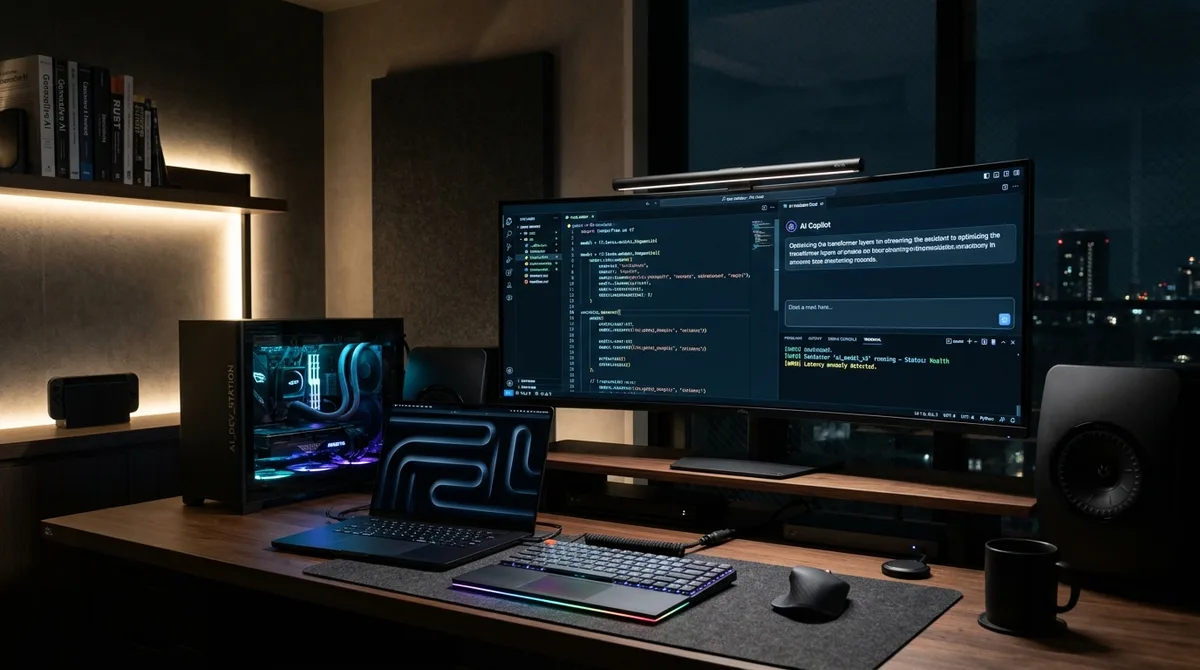
Why 16 GB is Today’s Floor and 32 GB is the Professional Standard
A few years ago, 16 GB was comfortable. Today, standard base software (modern OS, Chromium browser with 25 tabs, Slack, and an AI-augmented IDE like Cursor) demands 10 to 12 GB right out of the gate. The moment you spin up:
- A Docker container backend: +2–4 GB
- An Android emulator instance running modern OS images: +3–4 GB
- A local quantised code autocompletion model (e.g., Qwen 2.5 Coder 7B at 4-bit): +5–6 GB
If your system only packs 16 GB, your operating system is forced to rely on SSD virtual memory swapping. While modern PCIe SSDs are fast, NAND flash read latency is measured in microseconds compared to RAM nanoseconds. The visible consequence is editor input lag, frame drops, and accelerated wear on your drive’s write endurance.
💡 The 2026 Golden Rule: If you are buying a machine to last the next 3 to 5 years, target 32 GB as your default baseline. If you plan to experiment actively with running local 14B or 32B parameter models on your workstation, 64 GB is the true sweet spot.
⚡ 2. CPU: Single-Core Snappiness vs Multi-Core Compilation
In software engineering, your processor tackles two contrasting requirements:
- Editor Responsiveness & Hot Reloading (Single-Core):
While typing code, language server protocols (LSP), real-time syntax linting, and instantaneous hot-reloads (such as in Flutter cross-platform development or React) rely heavily on single-thread clock speed and low instruction latency. - Full Compilation & Packaging (Multi-Core):
When performing clean builds (C++, Rust, Android Gradle build tasks, Webpack/Vite asset bundling, or static site generation with Astro and Next.js), the compiler distributes build modules across every available core.
A modern 12-to-14 core processor slashes a 4-minute full build down to 40 seconds. When multiplied across dozens of daily compilations, that difference recovers dozens of billable hours every month.
🎮 3. GPU and VRAM: When Do You Actually Need a Dedicated Card?
Hardware graphics requirements depend strictly on your software engineering domain:
- When using Cloud AI APIs (Claude 3.5 Sonnet, Gemini 1.5 Pro, GPT-4o):
You do NOT need a discrete graphics card. The neural tensor math executes in Google, Anthropic, or Microsoft data centers. A modern integrated GPU (Apple Silicon or Intel Core Ultra / AMD Ryzen 7000/8000) handles dual 4K external monitors effortlessly. - When building Game Engines (Unreal Engine 5, Unity) or 3D Graphics:
A dedicated graphics card with hardware ray-tracing and at least 8–12 GB of VRAM is strictly required. - When executing Local AI Models (Local LLMs, Ollama & Fine-Tuning):
Here, GPU architecture and VRAM capacity dictate performance. However, there is a fundamental philosophical divide:- PC (Windows / Linux): The machine learning ecosystem remains anchored to NVIDIA CUDA. AMD and Intel GPUs, while strong in gaming, suffer from fragmented AI library support. If you choose a PC for local AI, an NVIDIA RTX 40-series (4070, 4080, or 4090) with 12 to 24 GB of dedicated VRAM is indispensable.
- Apple Silicon: Macs utilize a unified memory architecture (UMA). The GPU cores share the exact same high-bandwidth memory pool as the CPU. On a MacBook Pro or Mac Studio with 64 GB or 128 GB of RAM, the GPU can allocate 50+ GB directly to model weights—enabling you to run massive 70-billion parameter models locally without purchasing exorbitant $5,000 enterprise server GPUs.
🗄️ 4. Storage: Why Random 4K IOPS Outweighs Raw Sequential Speed
Not all NVMe solid-state drives are engineered equally. For developers, loading a node_modules folder (containing tens of thousands of miniature sub-kilobyte files) or updating Git index trees across a 500,000-line repository relies on random 4K read/write IOPS, not sequential transfer speeds.
- Capacity: Never buy a 256 GB drive in 2026. Between macOS/Windows, Xcode (which easily exceeds 40 GB with simulator runtimes), Android Studio SDKs, Docker images, and local model caches, a 512 GB drive fills up within months. Make 1 TB your mandatory baseline.
- Drive Quality: Choose high-end NVMe PCIe 4.0 drives with dedicated onboard DRAM caches and TLC NAND flash (e.g., Samsung 990 Pro, WD Black SN850X, or Kingston KC3000).
🍎 vs 🪟 Mac vs PC: Which Platform Wins in 2026?
The decision between macOS and Windows/Linux isn’t about brand loyalty; it’s an operational workflow calculation.
                           ┌──────────────────────────────────────────────┐
                           │    WHAT IS YOUR PRIMARY DEVELOPMENT FOCUS?   │
                           └──────────────────────┬───────────────────────┘
                                                  │
                 ┌────────────────────────────────┴───────────────────────────────┐
                 ▼                                                                ▼
   ┌───────────────────────────┐                                    ┌───────────────────────────┐
   │ iOS, macOS, Flutter Apps, │                                    │ Local CUDA AI Training,   │
   │ Mobile Dev, Full-Stack,   │                                    │ Game Dev (Unreal 5),      │
   │ Laptop Battery Mobility   │                                    │ Modular PC Hardware       │
   └─────────────┬─────────────┘                                    └─────────────┬─────────────┘
                 │                                                                │
                 ▼                                                                ▼
   ┌───────────────────────────┐                                    ┌───────────────────────────┐
   │        CHOOSE MAC         │                                    │        CHOOSE PC          │
   │  (Apple Silicon M-Series) │                                    │ (Windows 11 + WSL2/Linux) │
   └───────────────────────────┘                                    └───────────────────────────┘
When Mac (Apple Silicon) is the Unbeatable Choice
- Mobile Application Development (iOS, watchOS, macOS & Flutter):
Compiling, signing, and shipping apps to the Apple App Store requires Apple’s proprietary Xcode toolchain. If you build or plan to build cross-platform mobile apps in Flutter and Dart, a Mac is mandatory: it allows you to build and debug for both iOS and Android simultaneously on a single workstation. - Thermal Efficiency and Unplugged Battery Performance:
Apple’s M3 and M4 chips deliver 15 to 20 hours of real-world battery life and maintain 100% of their compute performance unplugged, with near-silent fan profiles. In contrast, high-wattage Intel/AMD laptops often throttle significantly on battery and drain within 2 to 3 hours. - Native UNIX Environment:
macOS is a certified UNIX system. Zsh, Homebrew, POSIX file permissions, and standard networking utilities behave identically to production Linux cloud instances without translation layers. - Massive Unified VRAM for Local AI Inference:
A MacBook Pro with 48, 64, or 128 GB of unified memory acts as a portable powerhouse for running heavy open-source models offline without overheating.
When PC (Windows + WSL2 or Pure Linux) is the Better Choice
- Local Deep Learning Training & CUDA Specialization:
If your core engineering involves training neural networks, custom PyTorch CUDA kernels, or tensor optimizations using NVIDIA libraries (vLLM, TensorRT, exLlama), NVIDIA GPUs remain the gold standard. - Game Development & DirectX 12:
If you specialize in Unreal Engine 5, Windows-native graphics, DirectX 12, or VR/AR headset software, Windows is the required development environment. - Modular Upgradability:
On a desktop PC, upgrading from 32 GB to 128 GB of DDR5 RAM or adding a second 4 TB NVMe drive costs a fraction of Apple’s unified memory markup. On modern Macs, all memory and storage are permanently soldered onto the SoC. - Budget-to-Raw Compute Ratio:
For pure multi-threaded raw desktop compute and discrete GPU power, custom-built PCs deliver roughly 30% to 40% more performance per dollar.
🎯 Recommended Configurations for 2026
1. The Ultimate Developer Laptop: MacBook Pro 14“ / 16“ (M3 Pro / M4 Pro)
- Configuration: 12-core CPU, 18-core GPU, 36 GB Unified Memory, 1 TB SSD.
- Why Choose It: The gold standard for 90% of global software engineers. Flawless simultaneous iOS/Android compilation, silent thermals, reference-grade display, and zero battery compromises.
2. The AI & High-End Desktop Workstation: PC Windows 11 + WSL2 / Ubuntu
- Configuration: AMD Ryzen 7 7800X3D or Ryzen 9 9900X, 64 GB DDR5 6000MHz RAM, NVIDIA GeForce RTX 4070 Ti Super (16 GB VRAM) or RTX 4080, 2 TB Samsung 990 Pro SSD.
- Why Choose It: Uncompromising CUDA performance for local deep learning workloads, multi-GPU scalability, and modular flexibility for 3D and game development.
3. The Compact & Silent Desktop Value King: Mac Mini (M4 / M4 Pro)
- Configuration: Apple M4 chip with 24 GB or 32 GB Unified Memory and 512 GB or 1 TB SSD.
- Why Choose It: For developers who work with external monitors and mechanical keyboards, the modern Mac Mini delivers extraordinary compute density, drawing less power than a living room lightbulb.
🚀 Final Thoughts
In 2026, choosing a development computer is not about chasing theoretical benchmark scores; it is about eliminating friction between your intellect, your codebase, and modern AI tools.
Investing in 32 GB of RAM, a high-IOPS 1 TB NVMe SSD, and robust thermal architecture pays for itself within the first month in saved engineering hours and uninterrupted concentration.
If you are architecting a complex software application, custom cloud infrastructure, or a high-performance cross-platform mobile app for iOS and Android, explore my Mobile App & Software Engineering Services or estimate your project scope with the Online Cost Calculator.