⚖️ European Accessibility Act (EAA): What Websites & E-commerce Must Do to Comply in 2026
Comprehensive guide to the European Accessibility Act (EAA) in 2026: covered businesses, WCAG 2.1/2.2 AA technical standards, penalties, the overlay widget myth, and how compliance boosts SEO and checkout conversions.
Table of contents23 topics
Digital accessibility has ceased to be an ethical “nice-to-have” or an optional design consideration. With the full enforcement of the European Accessibility Act (EAA) across EU member states, digital accessibility has become a mandatory statutory requirement, on par with GDPR data protection laws and statutory electronic invoicing.
In 2026, any business selling products or services online, operating a B2C e-commerce storefront, providing digital bookings, banking, transport ticketing, or media content within the European Union is legally obligated to satisfy concrete technical standards. Businesses that ignore these requirements risk heavy financial penalties, market injunctions from oversight bodies, and brand damage, while locking out over 100 million European citizens living with permanent, temporary, or situational disabilities.
In this practical guide, we cover:
- Which companies are legally required to comply and which qualify for micro-enterprise exemptions.
- The core technical requirements mandated by WCAG 2.1 and WCAG 2.2 Level AA.
- The 7 most common accessibility flaws that trigger penalties and hurt conversions on e-commerce sites.
- Why automated “overlay accessibility widgets” (the quick-fix JS plugins with blue icon avatars) provide zero legal protection and worsen assistive tool performance.
- The direct commercial upside of accessibility: measurable leaps in Google SEO performance and checkout completion rates.
📊 Summary Table: The 2026 EAA Regulatory Framework
| Parameter | EAA Regulatory Requirement (EU Directive 2019/882) |
|---|---|
| Enforcement Date | Full legal enforcement active since mid-2025; regulatory audits and market scrutiny at full scale in 2026 |
| Covered Entities | E-commerce websites, digital banking, online ticketing, video/audio streaming, and consumer digital services |
| Technical Standard | EN 301 549 (referencing W3C WCAG 2.1 & 2.2 Level AA) |
| Enforcement Authorities | National digital and market surveillance agencies across EU Member States |
| Statutory Penalties | Fines scaled to annual corporate turnover and formal suspension of non-compliant digital storefronts |
| Exemptions (Carve-outs) | Micro-enterprises with fewer than 10 employees AND annual turnover/balance sheet under €2 million |
🏢 1. Who is Legally Required to Comply (and Who is Exempt)
The European Accessibility Act applies to a broad spectrum of digital consumer goods and services offered within the European Single Market:
- All B2C E-commerce Websites: Retail storefronts selling physical merchandise, digital downloads, online courses, subscriptions, or Software as a Service (SaaS).
- Online Banking and Financial Portals: Consumer banking portals, checkout payment gateways, insurance calculators, and credit underwriting apps.
- Transport & Mobility Booking Engines: Air travel, rail, ferry, and urban bus transit booking systems.
- Consumer Digital Media: E-readers, digital book distribution platforms, and video/audio streaming libraries.
The Micro-Enterprise Exemption
The EAA includes an exemption for micro-enterprises, formally defined as entities that simultaneously satisfy two criteria:
- Fewer than 10 full-time employees.
- An annual turnover or annual balance sheet total not exceeding €2 million.
⚠️ Commercial Warning: Even if your enterprise falls beneath the micro-enterprise threshold, accessibility compliance remains a commercial imperative. Enterprise partners, corporate B2B clients, and public sector tenders mandate that supply chain vendors adhere to EN 301 549 to avoid jeopardizing the buyer’s institutional compliance.
📐 2. What WCAG 2.1 / 2.2 Level AA Requires: The 4 POUR Principles
EAA compliance maps directly to the European harmonized standard EN 301 549, which incorporates the W3C Web Content Accessibility Guidelines (WCAG) at Level AA.
These standards are built upon 4 architectural pillars, known by the acronym POUR:
                  ┌────────────────────────────────────────┐
                  │          WCAG PRINCIPLES (POUR)        │
                  └────────────────────────────────────────┘
                       │              │              │
        ┌──────────────┴─┐     ┌──────┴───────┐     ┌┴───────────────┐
        │   PERCEIVABLE  │     │   OPERABLE   │     │ UNDERSTANDABLE │
        │                │     │              │     │                │
        │ - High contrast│     │ - Keyboard-only    │ - Clear errors │
        │ - Alt text     │     │ - No focus traps   │ - Plain labels │
        │ - Media captions│    │ - Focus indicator  │ - Logical forms│
        └────────────────┘     └──────────────┘     └────────────────┘
                                       │
                               ┌───────┴──────┐
                               │    ROBUST    │
                               │ - Valid HTML │
                               │ - Assistive  │
                               │ - ARIA specs │
└──────────────┘- Perceivable: Information and UI elements must be presented in formats users can perceive with at least one of their primary senses. This includes text alternatives for non-text media, captions for multimedia, and sufficient color contrast.
- Operable: Every user must be able to navigate and trigger interactive elements regardless of input device (mouse, keyboard, voice dictation, switch access, or eye-tracking).
- Understandable: Content must be readable, UI navigation predictable, and form validation must provide descriptive error messages that guide error remediation.
- Robust: Front-end code must be semantically valid and compatible with assistive technologies (screen readers like NVDA, JAWS, VoiceOver) now and in future updates.
⚠️ 3. The 7 Most Common Accessibility Flaws on Websites & E-commerce
During our UX/UI audits and digital redesigns, over 85% of non-compliance issues stem from a handful of easily preventable front-end mistakes:
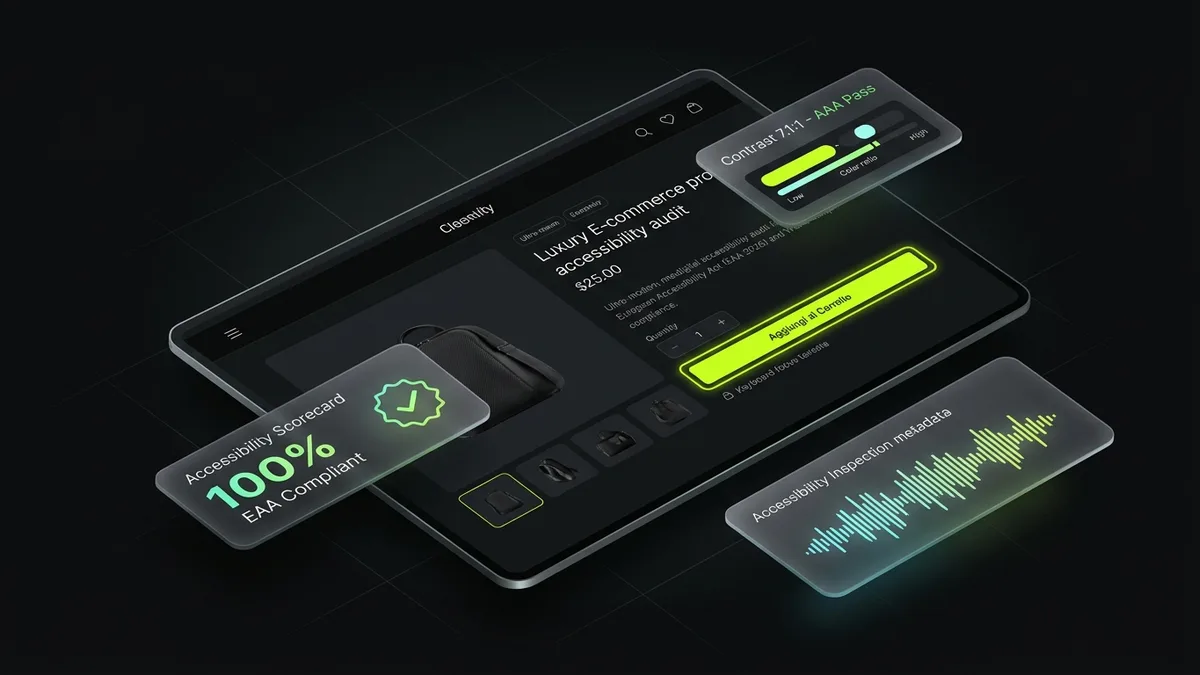
1. Inadequate Text-to-Background Contrast
A frequent aesthetic misstep: light grey body copy on white canvases (#999999 on #ffffff) or low-contrast text over pastel buttons.
- The WCAG AA Rule: Text must maintain a minimum contrast ratio of 4.5:1 for regular text, and 3:1 for large text (above 24px, or 19px bold) and interactive UI borders.
- The Fix: Test color palettes with the WebAIM Contrast Checker before production coding.
2. Stripped Keyboard Focus Outlines
Many users with motor impairments or low vision navigate websites exclusively using the Tab key. Developers frequently remove the native browser focus indicator with:
/* ❌ SEVERE ACCESSIBILITY DEFECT */
*:focus {
  outline: none;
}
Stripping the outline leaves keyboard users navigating blind.
- The Fix: Design a bold, high-contrast focus indicator:
/* ✅ ACCESSIBLE, VISIBLE FOCUS RING */
a:focus-visible,
button:focus-visible,
input:focus-visible {
  outline: 2px solid var(--color-accent);
  outline-offset: 3px;
}
3. Form Inputs Lacking Explicit <label> Elements
Relying solely on placeholder attributes inside input fields means the hint text vanishes the moment typing begins. Users with cognitive impairments lose context, and screen readers often fail to announce the field’s intent.
- The Fix: Always pair inputs with a programmatic
<label for="id">:
<label for="user-email">Email Address (required)</label>
<input type="email" id="user-email" name="email" required autocomplete="email" />
4. Missing or Uninformative alt Attributes on Product Images
E-commerce stores often deploy <img src="shoe.jpg" alt="image" /> or leave the alt tag blank.
- The Fix: Write succinct, descriptive alternative text describing the item’s appearance and purpose (
alt="Navy blue waterproof hiking rain jacket, front zipper view"). For purely decorative illustrations, applyalt=""andaria-hidden="true".
5. Modals and Cookie Banners with Keyboard Focus Traps
When a promo popup or consent banner triggers, keyboard focus must move inside the modal and remain constrained there until dismissed. Trapping focus behind the background overlay renders sites unusable without a mouse.
6. Broken Heading Hierarchies (h1–h6)
Using heading tags strictly for styling (such as selecting an <h4> before an <h2> because of font size) breaks the programmatic table of contents that screen reader users rely on to skim pages.
7. Cramped Touch Targets on Mobile
Under WCAG 2.2 (Criterion 2.5.8), all interactive touch elements (buttons, quantity pickers, pagination links) must provide a minimum target area of 24x24 CSS pixels (and ideally 44x44 pixels according to Apple and Google Human Interface Guidelines).
🛑 4. The False Security of “Overlay Widgets” (AccessiBe, UserWay, etc.)
Faced with impending compliance deadlines, many businesses gravitate toward quick-fix solutions: paying $30–$50/month for a third-party JavaScript widget promising “100% ADA & EAA Compliance in 48 Hours” via a floating blue avatar icon.
This approach is fundamentally flawed and legally risky:
- They Cannot Fix Underlying Broken HTML: If an e-commerce checkout flow lacks semantic markup or form associations, an overlay script cannot restructure core application architecture.
- assistive Tech Users Actively Oppose Them: Over 800 international accessibility researchers, developers, and advocacy organizations signed the Overlay Fact Sheet, documenting how these tools interfere with native screen readers (JAWS, NVDA, VoiceOver).
- They Do Not Prevent Legal Action: Hundreds of demand letters and legal actions in North America and Europe have targeted sites using overlay plugins, as technical audits consistently demonstrate persistent non-compliance.
- They Degrade Core Web Vitals: Heavy external JavaScript bundles inflate page payload and hurt Interaction to Next Paint (INP) and Largest Contentful Paint (LCP), harming Google rankings.
⚡ Core Truth: Accessibility cannot be bolted on via a third-party widget. It must be engineered directly into your source code and UI/UX design.
📈 5. How Accessibility Drives SEO Rankings and Checkout Conversions
Adhering to accessibility standards is not merely compliance overhead: it is one of the highest-ROI commercial investments available in 2026.
🚀 Search Engines Index Accessible Code Faster
Search engine crawlers interpret your website much like screen readers do: parsing raw HTML structure without visual styling. An e-commerce platform with:
- Clean semantic heading hierarchies,
- Rich, contextual image alt attributes,
- Clean, valid W3C semantic markup,
- Accessible breadcrumb navigation structures,
earns top-tier Core Web Vitals scores and consistently ranks higher in organic search results.
💰 Unlocking “The Purple Pound” & Lowering Cart Abandonment
European consumer data reveals that online retailers lose an estimated €50+ billion annually to cart abandonment driven by digital friction. Designing high-contrast buttons, legible fonts, and streamlined forms benefits every shopper—particularly those browsing outdoors on mobile devices in bright sunlight—driving conversion rate increases between 15% and 30%.
🛠️ 6. Actionable Accessibility Audit Checklist
To assess your store’s readiness against the European Accessibility Act, follow this 3-tier testing framework:
┌─────────────────────────────────────────────────────────────┐
│                 3-TIER ACCESSIBILITY AUDIT                  │
├─────────────────────────────────────────────────────────────┤
│ 1. Automated Scans (axe DevTools, Lighthouse, WAVE)         │
│    -> Catches 35–40% of baseline semantic issues            │
├─────────────────────────────────────────────────────────────┤
│ 2. Manual Keyboard-Only Navigation                          │
│    -> Tests Tab, Shift+Tab, Enter, Space, Escape            │
│    -> Confirms visible focus rings and zero focus traps     │
├─────────────────────────────────────────────────────────────┤
│ 3. Native Screen Reader Verification                        │
│    -> VoiceOver (Mac/iOS) or NVDA (Windows)                 │
│    -> Simulates an entire end-to-end checkout flow          │
└─────────────────────────────────────────────────────────────┘- Automated Scanning: Run Google Lighthouse or the axe DevTools extension to flag gross markup and color contrast issues.
- Keyboard-Only Traversal: Navigate your storefront using only your keyboard. Can you trigger navigation dropdowns, select size variants, add an item to the shopping bag, and finish checkout without touching a mouse?
- Live Screen Reader Testing: Turn on VoiceOver or NVDA, close your eyes, and listen to the purchase flow. Are interactive buttons clearly announced, or does the synthesizer say “Unlabeled button”?
❓ Frequently Asked Questions (FAQ)
Does the European Accessibility Act apply to B2B platforms or only B2C stores?
The EAA primarily mandates compliance for consumer-facing (B2C) products and services. However, if your B2B software is purchased by regulated enterprise clients or public sector bodies, your buyers will contractually require EN 301 549 compliance.
What are the financial penalties for non-compliance?
Penalties are established by each individual EU Member State, ranging up to 5% of annual turnover, formal correction orders from national regulators, and potential court injunctions barring non-compliant digital services from the European market.
Does installing a toolbar plugin like AccessiBe protect our business from fines?
No. European regulatory authorities and courts do not accept overlay widgets as valid evidence of WCAG and EN 301 549 compliance. Accessibility must reside natively in the codebase.
How long does an accessibility remediation project typically take?
For modern websites built with clean architecture, remediation typically requires 2 to 4 weeks across auditing and code refactoring. For complex legacy stores built on bloated templates, the most cost-effective path is often a complete custom redesign on an accessible modern framework.
🎯 Conclusion: Turn Compliance into a Competitive Edge
Digital accessibility is not a regulatory burden to fear: it is an opportunity to eliminate purchase barriers, optimize technical SEO, and welcome millions of underserved European consumers. With clean semantic code, high-contrast design, and keyboard agility, your brand will remain fully compliant and positioned at the forefront of digital commerce.
🛡️ Looking to manage cookie banners, privacy disclosures, and CMP consent?
Explore our comprehensive guide to the best GDPR, Cookie Law & Web Accessibility software (2026) comparing Iubenda, Cookiebot, Usercentrics, and AccessiWay.