How to Configure Google News & RSS Feeds in 2026: Custom Filters, Alerts, and Noise-Free Daily Briefings
Comprehensive step-by-step guide to mastering Google News and modern RSS readers in 2026: eliminate clickbait, generate custom RSS feeds from search queries, set up automated topic alerts, and build a noise-free 15-minute daily news briefing with Feedly & Inoreader.
Table of contents21 topics
Opening your browser or mobile phone in the morning to catch up on industry news has turned into an exercise in cognitive fatigue for most people: hyperbolic clickbait, manufactured outrage, invasive advertising, and algorithmic feeds engineered to maximize rage and scrolling time rather than genuine knowledge.
In 2026, passively relying on social media timelines (X, LinkedIn, Threads) or the default homepage of generic news portals means outsourcing your attention to engagement algorithms designed for dopamine traps.
Whether you are a software developer, a tech entrepreneur, a digital marketer, or simply someone looking to stay well-informed on specific topics, a vastly superior approach exists: fine-tuning Google News and pairing it with modern, AI-enhanced RSS feeds.
In this practical, step-by-step guide, I will show you how to train Google News’s recommendation engine, how to extract hidden, native RSS feeds from any search query or keyword, and how to funnel these streams into modern readers like Feedly and Inoreader to curate your own noise-free daily briefing readable in just 15 minutes a day.
🧭 Part 1: How to Train the Google News Recommendation Engine (Web & Mobile)
Google News remains one of the most comprehensive real-time editorial indexing systems on the web. However, its default out-of-the-box configuration is heavily weighted toward generalist headlines and tabloid media.
Fortunately, Google News’s underlying recommendation algorithm can be trained with surgical precision using four straightforward controls:
1. The Essential Shield: “Hide all stories from [Publisher]”
Whenever you encounter an aggregator or low-quality publication that habitually produces misleading headlines or sponsored fluff:
- Tap the three vertical dots (⋮) beside the article headline.
- Select “Hide all stories from [Source Name]”.
- From that moment onward, Google completely removes that entire publication domain from your “For You” feed and category sections. Applying this to just 5 to 10 persistent offenders within your first week will permanently eliminate over half of your feed’s clutter.
2. Explicit Tuning: “More stories like this” vs. “Fewer stories like this”
Directly underneath each card in your For You stream:
- Thumbs Up / “More stories like this”: Instructs the algorithm to prioritize that specific topic cluster (e.g., official Flutter SDK releases or open-source local LLM breakthroughs).
- Thumbs Down / “Fewer stories like this”: Demotes that specific angle without banning the source entirely (e.g., filtering out celebrity gossip involving tech CEOs while keeping actual technological developments).
3. Track Ultra-Specific Topics via the “Following” Tab
Bypass the generic high-level headers (Technology, Business, Science) which attract broad mainstream coverage:
- Enter an exact, technical search phrase into the search bar (for example:
"Model Context Protocol","Flutter Framework", or"Web Accessibility WCAG"). - On the resulting search page, click the star icon or tap “Follow”.
- Access all of your tracked entities cleanly isolated under the “Following” tab in the mobile app or desktop navigation bar, entirely separated from the algorithmic homepage.
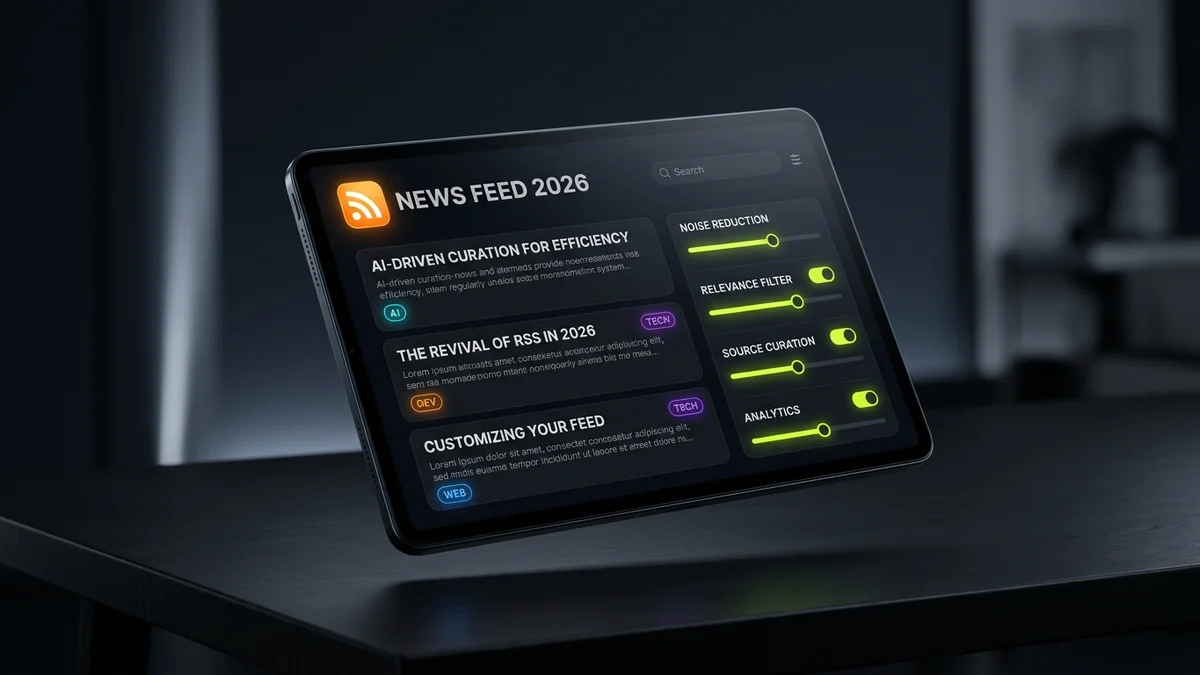
🛠️ Part 2: The Power Technique — Generating Custom RSS Feeds from Any Google News Query
A surprising number of tech professionals are unaware that Google News natively outputs standard RSS (XML/Atom) feeds for virtually any search string, topic, or Boolean query.
This means you are never locked into the Google News web interface or application: you can transform any search into a live RSS syndication stream and sync it directly into your preferred reader (such as Feedly, Inoreader, NetNewsWire, or an automated Telegram bot).
The Google News RSS URL Architecture
The official endpoint syntax for generating custom RSS feeds from search queries is:
https://news.google.com/rss/search?q={YOUR_QUERY}&hl=en-US&gl=US&ceid=US:enq={YOUR_QUERY}: The targeted keywords (spaces replaced by+or encoded as%20).hl=en-US: Interface and language locale (English - US).gl=US: Geographic publisher territory.ceid=US:en: Regional country/edition identifier.
💡 For international editions: To monitor European or regional markets, update the query parameters accordingly (e.g.,
hl=it&gl=IT&ceid=IT:itfor Italian coverage orhl=en-GB&gl=GB&ceid=GB:enfor UK editions).
Practical Query Examples Using Boolean Search Operators
You can apply advanced Google search operators to build laser-focused RSS streams:
| Monitoring Objective | Search Query String | Ready-to-Use RSS Feed URL |
|---|---|---|
| Flutter & Mobile Dev (releases & updates) | Flutter OR Dart intitle:release |
https://news.google.com/rss/search?q=Flutter+OR+Dart+intitle:release&hl=en-US&gl=US&ceid=US:en |
| AI Agents & LLMs (excluding hype & crypto) | ("AI Agents" OR "LLM") -crypto -bitcoin |
https://news.google.com/rss/search?q=(%22AI+Agents%22+OR+%22LLM%22)+-crypto+-bitcoin&hl=en-US&gl=US&ceid=US:en |
| Brand & Competitor Intelligence | "YourBrand" OR "CompetitorBrand" |
https://news.google.com/rss/search?q=%22YourBrand%22+OR+%22CompetitorBrand%22&hl=en-US&gl=US&ceid=US:en |
| Domain-Specific Tech News | site:techcrunch.com OR site:theverge.com "open source" |
https://news.google.com/rss/search?q=site:techcrunch.com+OR+site:theverge.com+%22open+source%22&hl=en-US&gl=US&ceid=US:en |
Simply copy the resulting URL, open your RSS feed aggregator, and click “Add Feed”: you will receive real-time updates of indexed news stories matching those exact parameters without touching an algorithm.
🔔 Part 3: Google Alerts via RSS (Passive Monitoring Without Inbox Clutter)
Another underutilized tool is Google Alerts. Most users configure alerts to deliver daily email roundups, which quickly overwhelm and pollute email inboxes until they are permanently ignored.
The smart approach in 2026 is routing Google Alerts directly to an RSS feed:
[Google Alerts: Targeted Query]
               │
               ▼
       (Output: RSS Feed)
               │
               ▼
  [Aggregator: Feedly / Inoreader]
               │
               ▼
[Dedicated Folder: "Competitor Intel"]
3-Step Setup:
- Navigate to Google Alerts (google.com/alerts) while logged into your Google account.
- Enter your keyword query within quotation marks (e.g.,
"David Marro","Flutter App Development", or your proprietary company name). - Click “Show options”:
- How often: “As-it-happens” or “At most once a day”.
- Sources: Select News, Blogs, or Automatic.
- Deliver to: Switch the dropdown from Your email address to “RSS feed”.
- Click “Create Alert”. Click the orange RSS icon next to your newly created alert, copy the link address, and subscribe to it inside your feed reader.
Your email inbox stays clean, and you review your alerts only when you deliberately decide to check your reading dashboard.
📱 Part 4: The Best Modern RSS Feed Readers in 2026
Once you have generated your high-signal feeds (from Google News, Google Alerts, technical engineering blogs, and curated newsletters), you need a modern reading environment.
Modern RSS readers have evolved significantly beyond outdated feed scrapers: they now offer seamless cloud synchronization, offline caching, newsletter forwarding addresses, and AI assistants that automatically eliminate duplicate articles across publishers.
| RSS Reader Platform | Key Strengths | AI / Automation Capabilities | Supported Platforms | Free Tier | Best For |
|---|---|---|---|---|---|
| Feedly | Industry benchmark, elegant UI, customizable layouts (Cards, Magazine, Compact Headlines). | 🏆 Leo AI Assistant (deduplicates stories, prioritizes key entities, summarizes long reads). | Web, iOS, Android | ✅ Yes (up to 100 sources) | Executives, analysts, and busy product teams. |
| Inoreader | Powerhouse automation: regex filtering, webhook triggers, broadcast to Telegram channels and Pocket. | ⚡ Custom rule engine, exact keyword filters and exclusions. | Web, iOS, Android | ✅ Yes (up to 150 feeds) | Developers, sysadmins, and advanced research workflows. |
| Readwise Reader | All-in-one “Read-It-Later” ecosystem: integrates RSS feeds, private newsletters, PDFs, and web highlights. | 🤖 Ghostreader AI (instant summaries and Q&A on long articles). | Web, iOS, Android, Kindle | 30-day free trial | Serious readers who sync annotations to Obsidian or Notion. |
| NetNewsWire | 100% free, open-source, blazing fast, native Apple platform UX, zero telemetry or tracking. | ❌ No AI layer (pure classic RSS experience). | macOS, iOS, iPadOS | 🏆 Free forever | Apple ecosystem users seeking pure minimalist speed. |
| FreshRSS | Self-hosted Docker container solution providing total data ownership and zero third-party dependencies. | 🔧 Highly customizable via community plugins and scrapers. | Self-hosted (Responsive Web + API for mobile clients) | 🏆 100% Open Source | DevOps engineers and privacy-first self-hosters. |
⚡ Part 5: The 15-Minute Noise-Free Daily Reading Workflow
Subscribing to dozens of feeds without a systematic approach can lead to another form of burnout (Information Overload). To maintain an efficient reading routine, here is the structured system I use daily:
1. The 3-Tier Folder Taxonomy
Group your feeds into three simple tiers:
- 🔴 Tier 1: Critical Signals (Must-Read): Strictly 3 to 5 vital feeds you never want to miss (e.g., official engineering announcements, core framework releases, select trade newsletters).
- 🟡 Tier 2: Thematic Intelligence (Google News RSS): Your custom Boolean search streams monitoring industry developments and competitive moves.
- 🟢 Tier 3: Long-form & Exploration: Deep-dive design essays, tech history, or personal blogs for weekend downtime.
2. The “Scan Now, Read Later” Discipline
Never get bogged down reading 3,000-word essays during your quick morning review. Scan headlines in compact list mode:
- If a headline yields actionable news, absorb the takeaway immediately.
- If an article requires deep focus, click “Save for Later” (or send to Pocket / Readwise Reader).
- If a batch of stories is non-essential, hit “Mark All as Read” without hesitation.
3. Quarterly Feed Pruning
Treat your RSS feed list like a garden. If an outlet begins publishing 15 low-value rehashed articles per day or leans heavily into clickbait headlines, delete it immediately. The quality of your professional decisions reflects the quality of information you consume.
❓ Frequently Asked Questions (FAQ)
Does Google News officially still support RSS feeds in 2026?
Yes. While Google has de-emphasized visible RSS badges across its consumer-facing interfaces, the backend XML endpoints (https://news.google.com/rss/...) remain fully functional and actively maintained. They update in real-time alongside Google’s search crawlers and are widely utilized by news aggregators and automated workflows worldwide.
How can I filter out hard paywalled publications from Google News?
In your custom RSS queries, add negation operators targeting domains that enforce strict paywalls (e.g., -site:paywalledsite.com). Additionally, advanced RSS aggregators like Inoreader and Feedly support custom rule filters that automatically hide or mark as read any article matching keywords such as “Subscribers Only” or “Premium”.
What is the difference between Google News, Google Discover, and RSS feeds?
- Google News: A categorized, chronologically structured news aggregator covering verified journalistic publications, searchable by topic and source.
- Google Discover: A predictive, algorithm-driven feed in Google mobile apps, heavily optimized for viral engagement based on browsing habits.
- RSS Feeds: An open, neutral syndication standard that delivers updates from websites or queries in strict chronological order with zero algorithmic interference.
Can I automatically push Google News updates to Telegram or Slack?
Yes. You can take any Google News RSS feed URL and connect it to free automation tools such as Make.com, Zapier, or dedicated bots like @FeedManBot on Telegram and the official RSS app in Slack. Whenever a fresh article matches your query, a notification is delivered instantly to your designated channel.
Do RSS readers consume significant battery or mobile data?
No. Cloud-based aggregators (such as Feedly or Inoreader) fetch, parse, and compress feeds on their remote servers before serving clean, lightweight text and image payloads to your device. This consumes drastically less battery and cellular data compared to visiting individual ad-heavy news websites riddled with tracking scripts.
🎯 Conclusion
Regaining control over your information diet is one of the highest-leverage productivity habits you can establish in 2026. A 30-minute initial setup transforms an overwhelming stream of online noise into a tailored, distraction-free intelligence asset.
Looking for more insights on modern digital workflows and engineering tools?
- 🚀 Top Browser Extensions for Developers and Creators in 2026
- 🤖 Best AI Customer Care Agents for E-commerce
- 💡 How Much Does It Cost to Build a Mobile App in 2026?
If you are planning a mobile application, a content platform, or an intelligent automation pipeline, reach out directly to discuss your project.